NaviBus A local bus tracking app
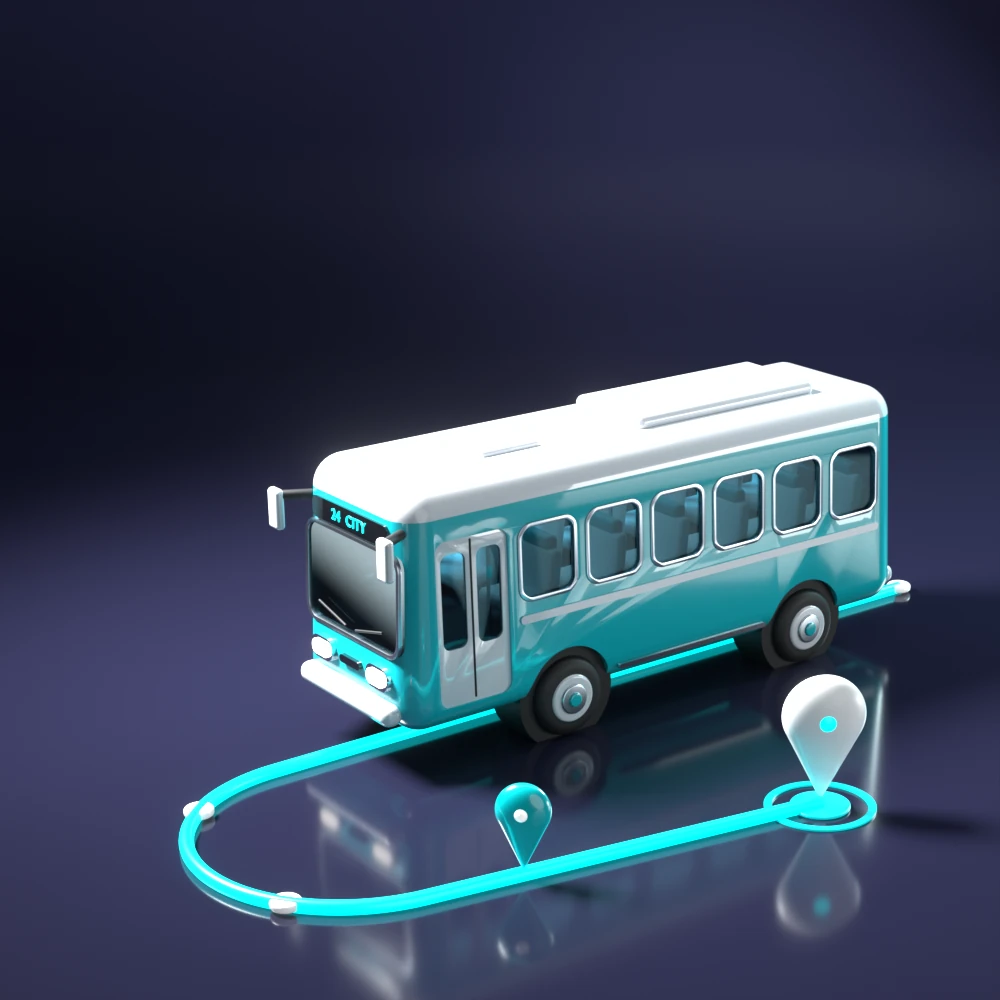
A concept app for finding bus timings, tracking a bus live and saving the routes you take often. I shaped it around a survey of 38 regular bus users.
The problem
People who take local buses deal with timings that are wrong or out of date, apps that are hard to follow, and no way to keep the routes they use every day. Most bus apps either show too much or show timings you cannot trust.
I saw room for a simple app focused on clarity and real-time accuracy.
A concept project, not a built app. This page shows research and design reasoning, not results.
What 38 bus users told me
Before designing anything, I surveyed 38 regular bus users about how they travel, what goes wrong and what they would want from an app. They could pick more than one answer.
- were aged 18 to 25
- 63.2%
- named overcrowding as a problem (32 of 38)
- 84.2%
- wanted live bus tracking (30 of 38)
- 78.9%
- rated themselves 4 or 5 out of 5 likely to use a bus app
- 29 of 38
Problems with local bus services
People who chose each, out of 38
Features wanted in a local bus app
People who chose each, out of 38
How often they take the bus
Share of 38 respondents, one answer each
- 23.7%Daily
- 18.4%A few times a week
- 36.8%Occasionally
- 21.1%Rarely
Overcrowding was the top problem by a wide margin, and this first version of NaviBus does not solve it. That is why crowd detection is first on my list of what comes next. Live tracking, the feature most people asked for, is the first of the three stories below.
Three apps compared
I compared what I planned for NaviBus with redBus, a second bus app and Google Maps. None of them let you switch language. Only Google Maps had live tracking and saved routes.
| Feature | NaviBus | redBus | Second bus app | Google Maps |
|---|---|---|---|---|
| Real-time bus tracking | Yes | No | No | Yes |
| Easy accessibility | Yes | Yes | Yes | No |
| Complaint registration | Yes | Partly | Partly | Yes |
| Language switch | Yes | No | No | No |
| Favourite routes | Yes | No | No | Yes |
YesPartly: there, but not easy to useNo
Four tabs, sketched on paper first
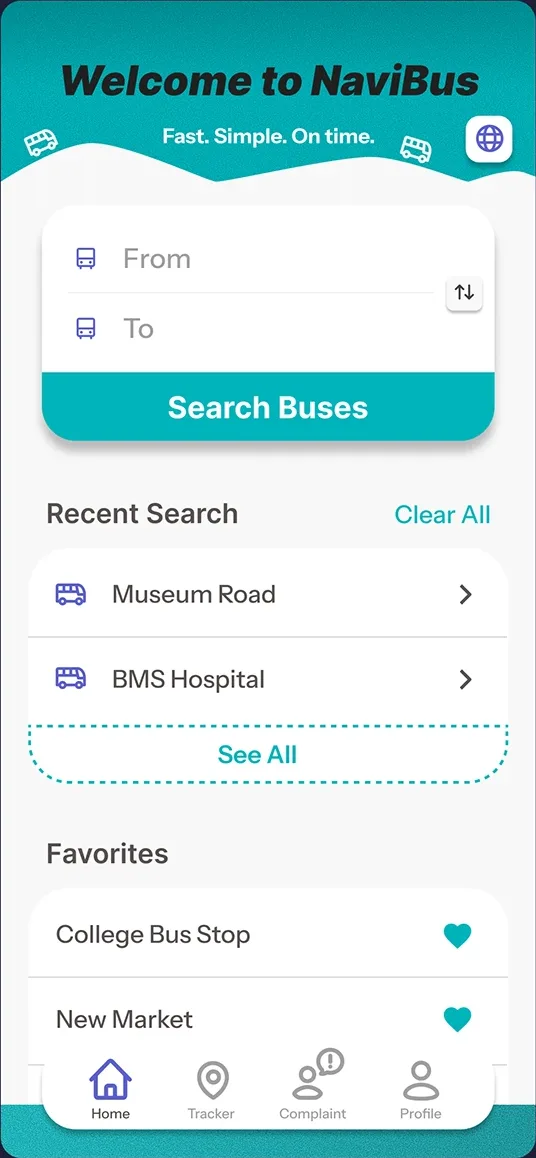
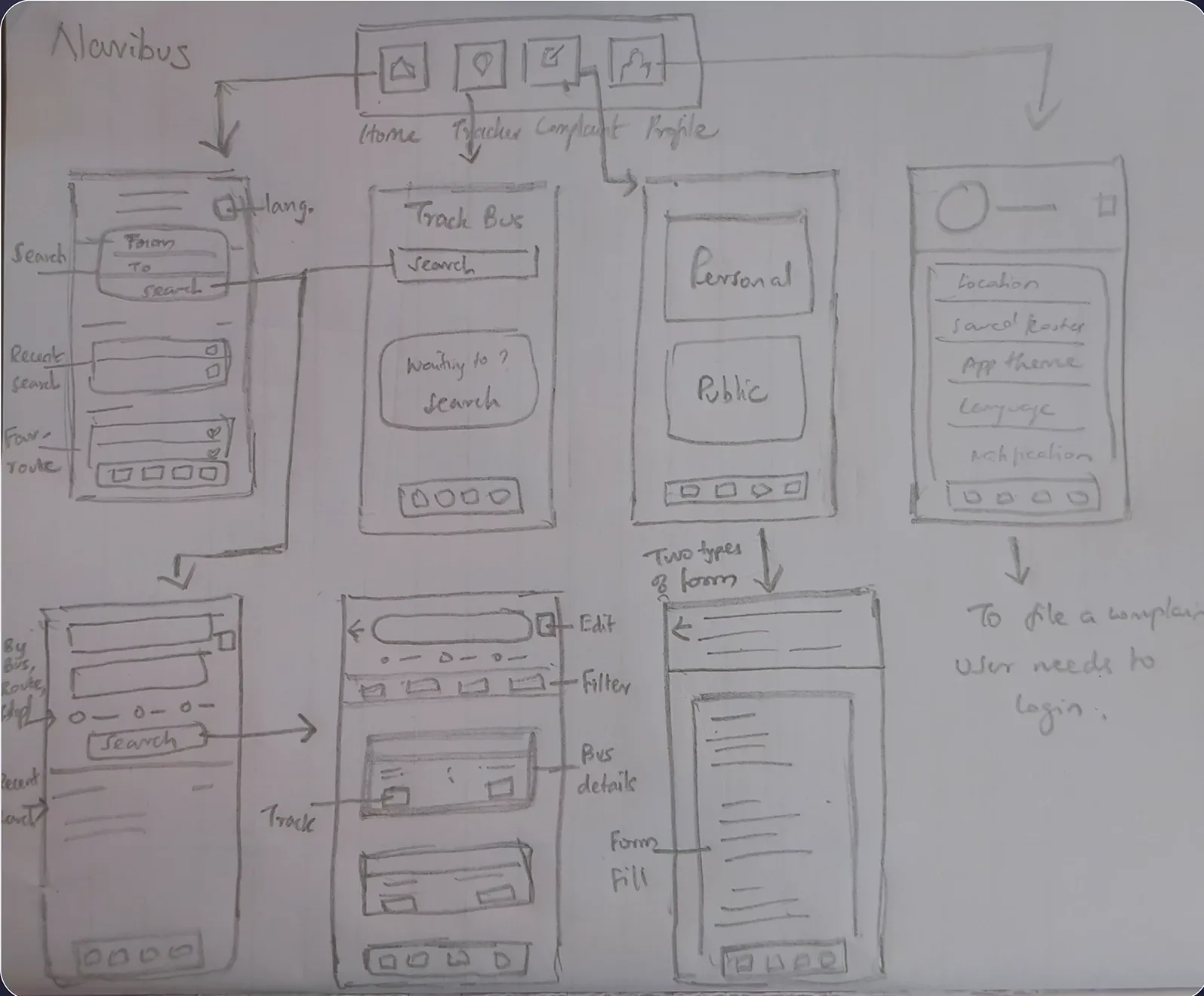
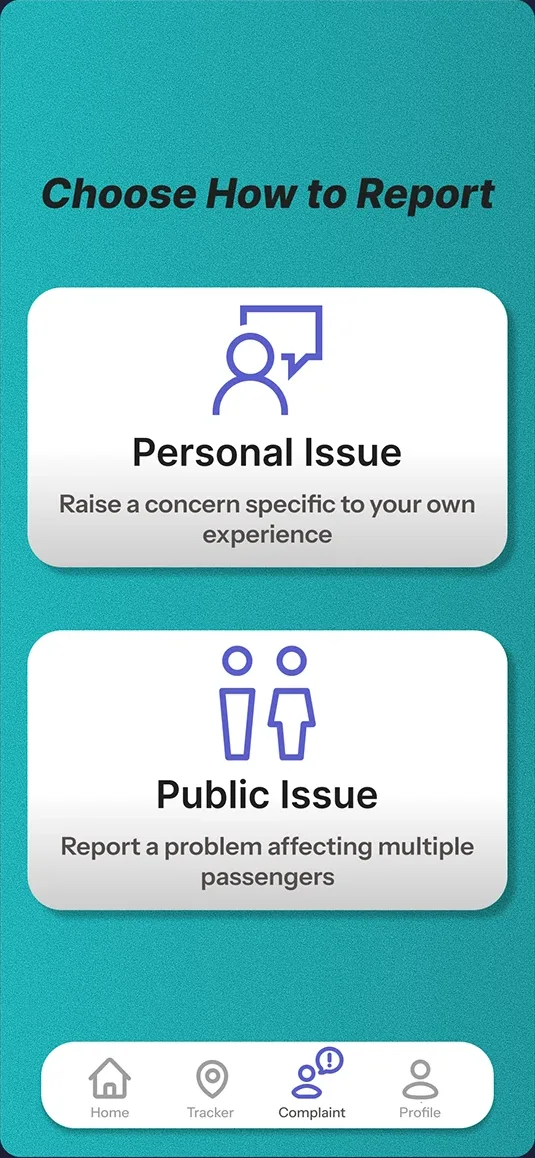
The app has four tabs: Home, Tracker, Complaint and Profile. Home is for searching and for the routes you already use. Each of the others does one job. I sketched every screen on paper before moving to Figma.
- Start app
- Home
- Home
- Recent searches
- Favourites
- Tracker
- Search bus
- By stop
- By bus no.
- By route
- Search bus
- Complaint
- Private
- Public
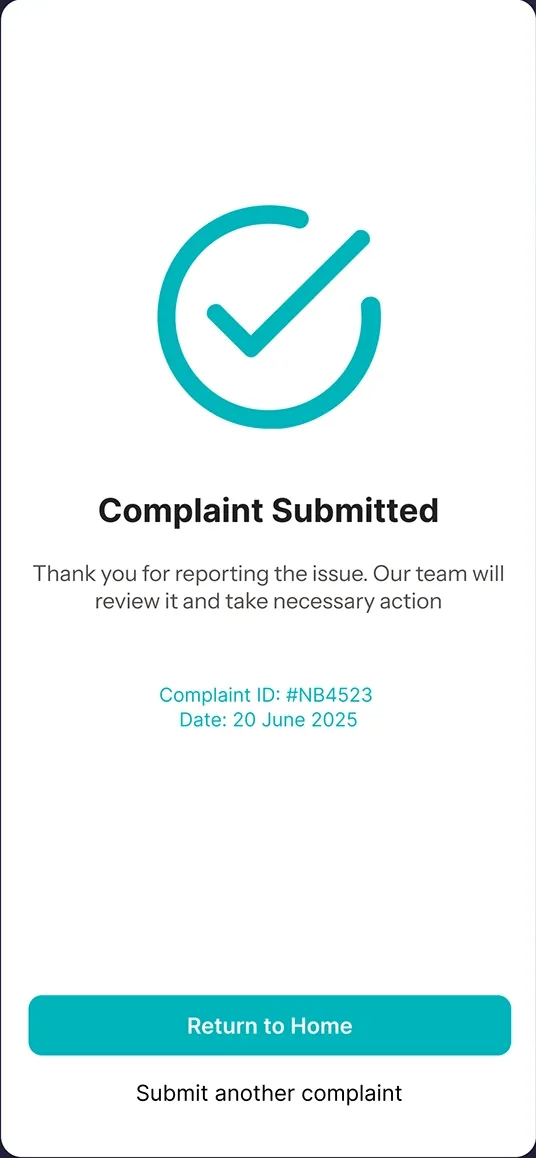
Confirmation, after either kind of complaint
- Profile
- Sign in
- Home
- Home
Real-time tracking and accurate times
A local bus app should offer real-time tracking, reliable updates, easy navigation, and secure, user-friendly features to build trust and ensure regular use.
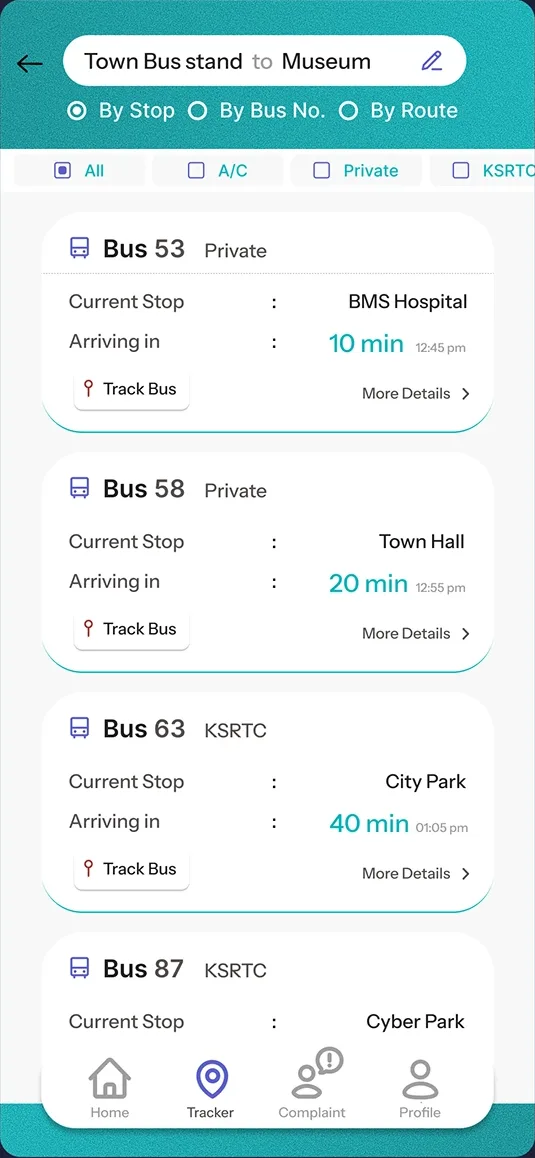
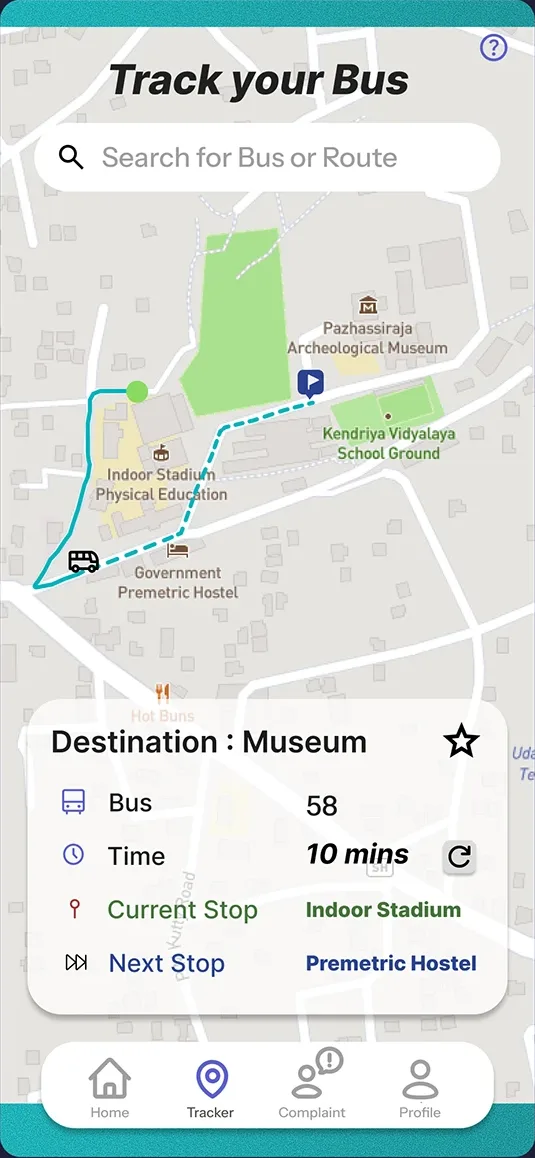
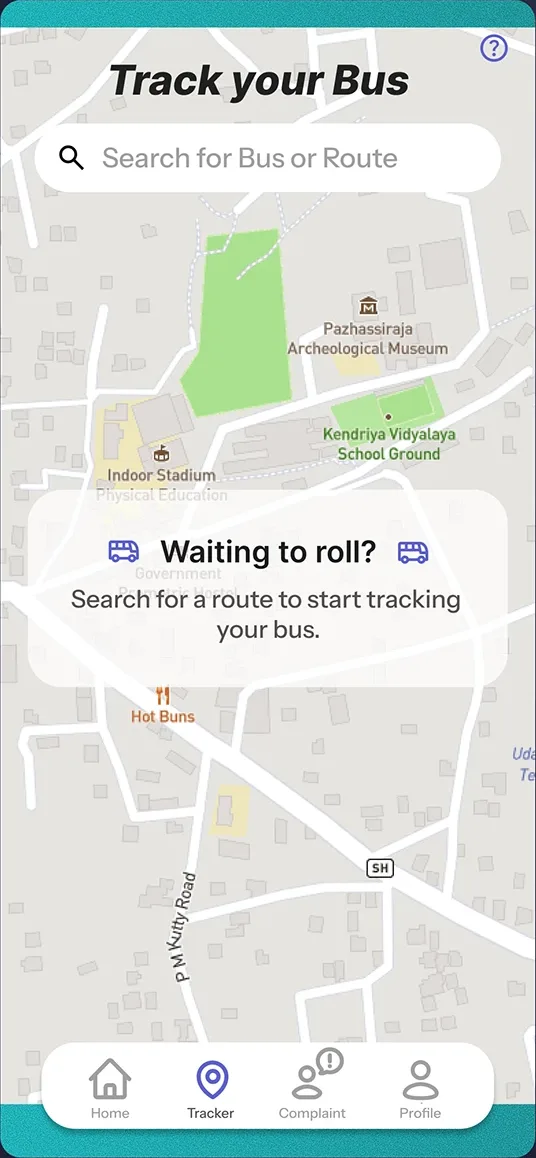
Each search result names the operator and the bus’s current stop, and most also show the minutes until it arrives and the arrival time. Track Bus opens a live map with the route, the current stop, the next stop and the time left. Before you choose a route, the tracker tells you what to do instead of showing an empty map.
Clear categories, and a way to complain
Local buses, city buses and KSRTC buses should be classified differently according to their route so that people can easily access it. There should be a complaint registering setup and it should be monitored and rectified.
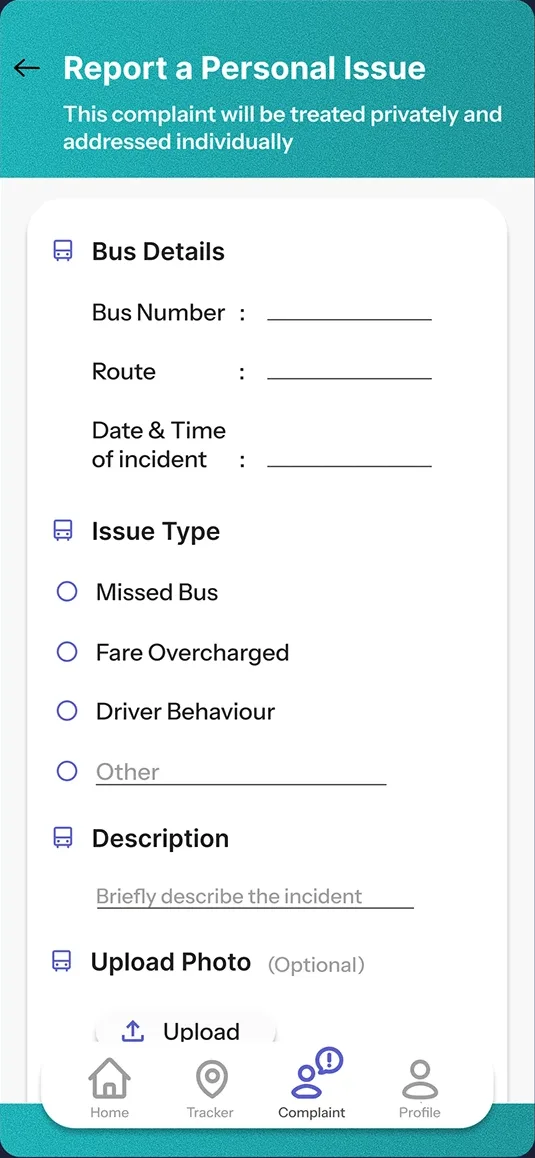
Results filter by All, A/C, Private and KSRTC, and every card names its operator (Fig. 07). Complaints come in two kinds. A personal issue, like a missed bus or an overcharged fare, is handled privately. A public issue, like a broken bus stop, affects every passenger. Both end with a complaint ID.
Easy to get around
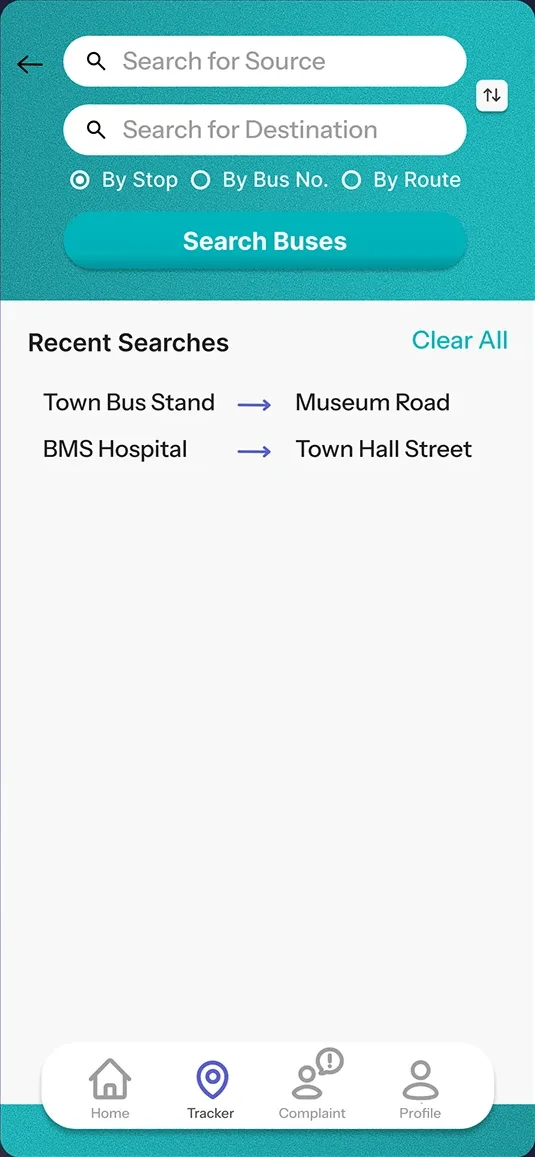
Easy accessibility.
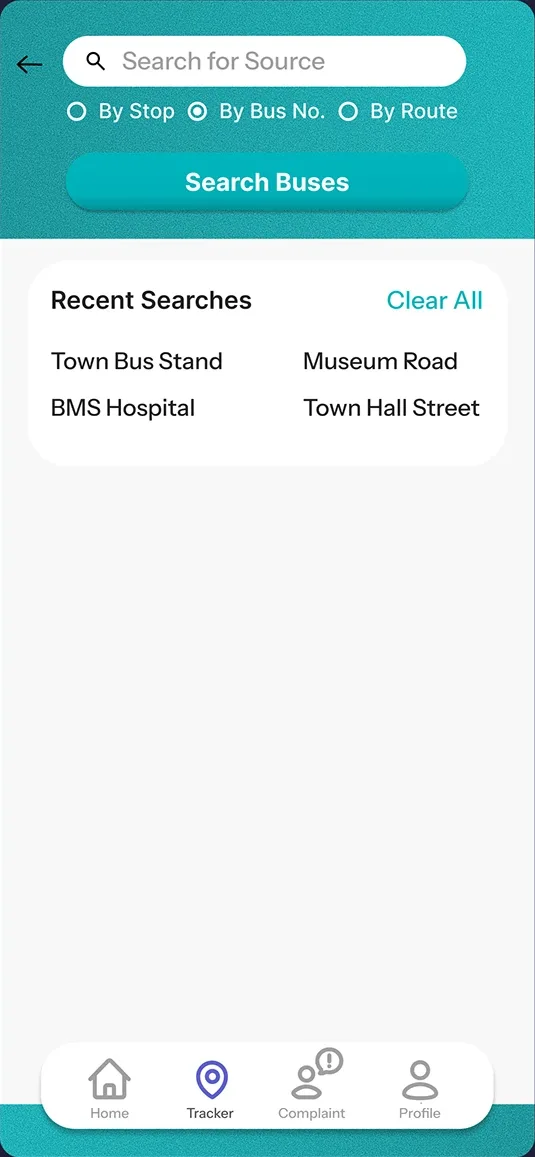
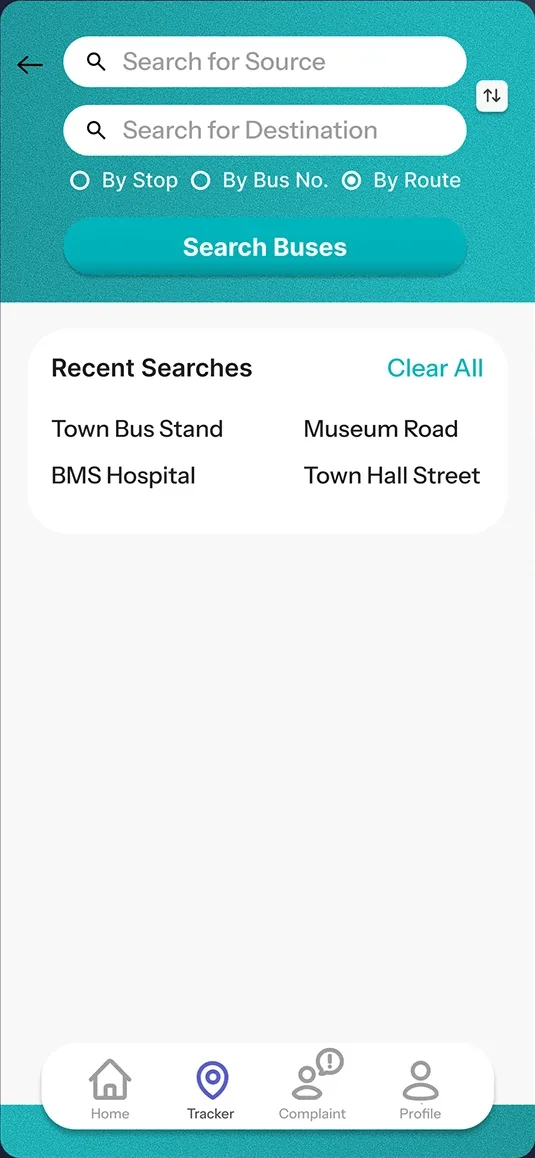
Search works three ways, by stop, by bus number or by route, so you can start from whatever you know. Searching by bus number needs only one field. Recent searches sit right under the form.
Type and colour
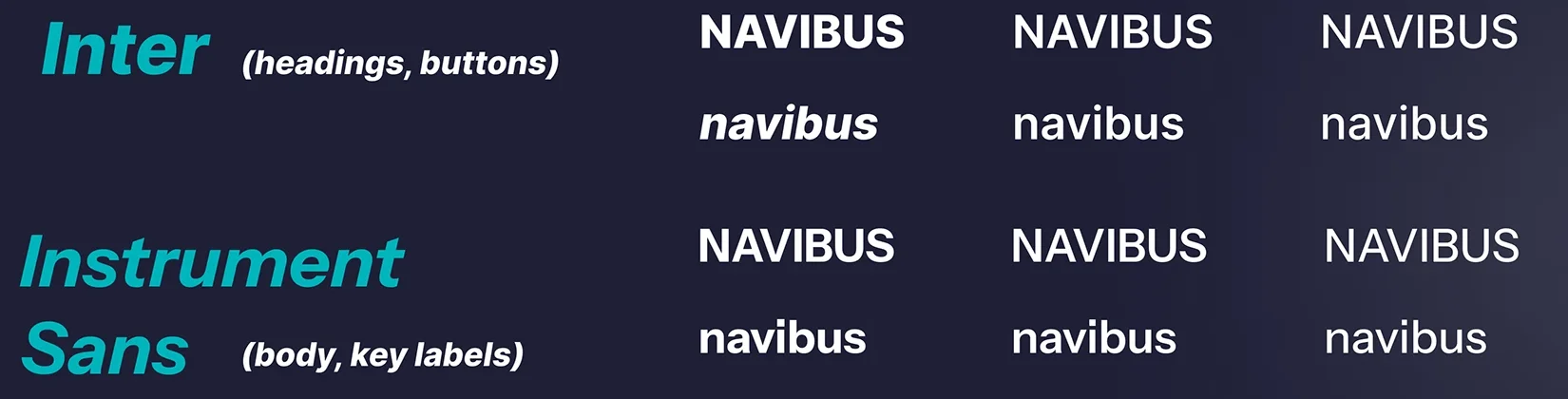
Inter for headings and buttons, Instrument Sans for body text and key labels. Teal is the primary colour and violet the secondary, on white and light grey.
- Primary#00B4BC
- Secondary#5B5FCD
- Surfaces#FFFFFF
- Backgrounds#F8F8F8
- Text#000000
- Text#212121
- Text#564F4F
- Inactive#9E9E9E
What comes next, and what I learned
This version covers search, tracking, saved routes and complaints. Four features I would add next, starting with the problem people raised most:
- Crowd detection. Estimate how full a bus is in real time, so people can choose a less crowded one.
- Better route suggestions. The fastest or most reliable route for the time of day, traffic and schedule.
- Seat booking. Reserve a seat in advance on certain routes.
- Fare alerts. Fare changes, discounts and best-value routes.
What I learned
Clarity and consistency matter most in tools people rely on every day. Small details, like saving a frequent route or taking a step out of search, have a real effect on how usable an app is. Good design is not just clean visuals. It is reducing friction, solving actual problems and anticipating what people need.